
Are you having a thought of moving from Zimbra to Outlook but Zimbra emails holding you back? Wondering how do I backup my Zimbra emails to Outlook with attachments and other items properly? Looking for a solution that could help you to accomplish the process successfully? Not to worry, just read the entire segment and you will come across a solution that will help you to backup all Zimbra emails to Outlook accurately.
Zimbra is a collaboration suite which formerly very popular as ZCS. It consists of email and server components and is one of the oldest platforms for email and data management.
Several businesses and individuals are using Zimbra Webmail service because it is web-based which gives them flexibility to work from anywhere, anytime, on any device. It is a secure and cost-effective solution which delivers complete cross-platform support and native integration with major operating systems such as Windows, Mac, and Linux. Moreover, you can only pay for the required features and add the additional features later on as business grows.
The reason why people are slowly moving from Zimbra is due to security vulnerabilities. In recent studies, Cybersecurity researchers have discovered weak security in Zimbra Webmail. This not only makes the stored data corrupt but hackers could use the same to threaten Zimbra users. That is why many are moving to a more secure platform like Microsoft Outlook.
Table of Contents
Why Users are Preferring Microsoft Outlook for Zimbra Backup?
Microsoft Outlook is a renowned email client that properly handles the large amount of emails on a daily basis. It acts as a Personal Information Manager for users because it organize and manages user’s email messages, contacts, tasks, calendars, notes, and journals.
Some of its benefits are mentioned here:
- Supports advanced security protocols and two-factor authentication to protect your email account from malevolent activities.
- Display all calendars in a single screen showing busy and available users.
- Simple navigation and keyboard commands help users in managing contacts.
- Easily access single message with attachments all at one place.
- Integrate with different webmail services supporting IMAP/POP emails.
- Friendly and easy manageable interface.
Overall, Microsoft Outlook is a suitable email client for all types of users and businesses. But the main concern is how users can backup their Zimbra emails in Outlook. Let’s understand the process in detail.
How do I backup my Zimbra Emails to Outlook?
The effective method to backup Zimbra emails to Outlook with attachments is CubexSoft Zimbra to Outlook Converter Tool. It is a friendly and powerful solution which securely backup unlimited Zimbra emails into Outlook with attachments and other items effortlessly. The operational steps are also short and time-saving as users do not need to waste hours in implementing the process. By tapping few simple buttons, they can quickly get all Zimbra data into PST.
Moreover, the tool is launched with a countless beneficial features through which users can backup Zimbra emails to Outlook as per their requirements. You may use the trial edition of the tool to test the complete software working.
Steps to Backup Zimbra Emails to Outlook
Step 1. Download and run CubexSoft Zimbra to Outlook Converter Tool. Select Zimbra On-Premises Mailboxes option if you were using Zimbra desktop and having its TGZ files. Or, continue by selecting Zimbra Cloud Hosted Mailboxes if you are using Zimbra Webmail client. However, we have selected the second option. Click Next.

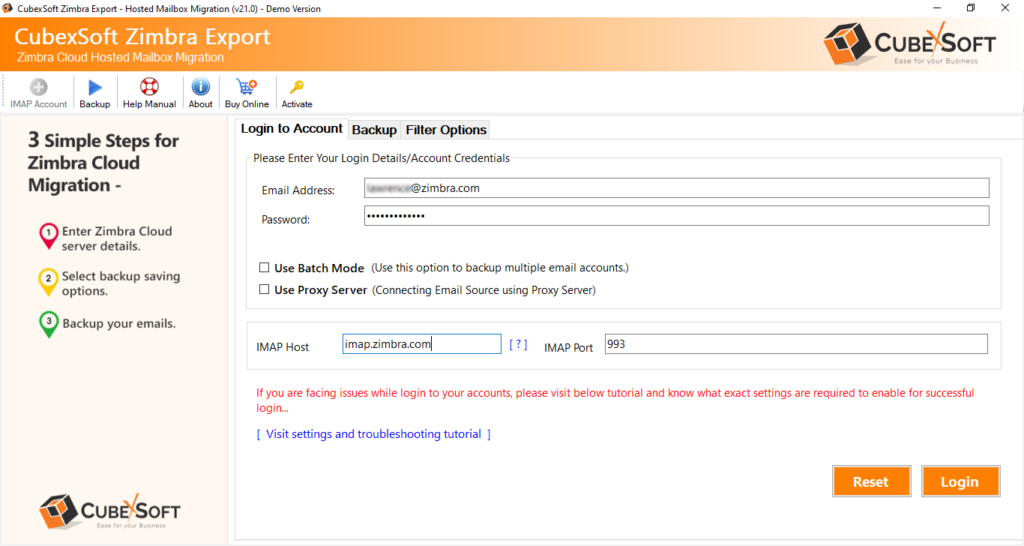
Step 2. Provide Zimbra Webmail client details in necessary fields – email ID, password, IMAP host, and port number.
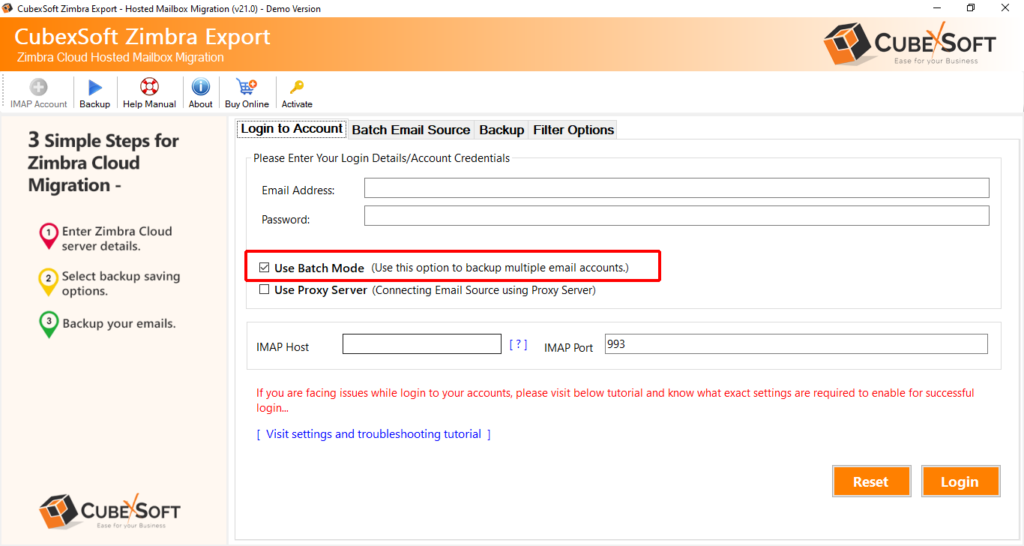
Step 3. You can select Use Batch Mode option if you want to backup multiple Zimbra accounts emails into Outlook. Click Login to proceed.
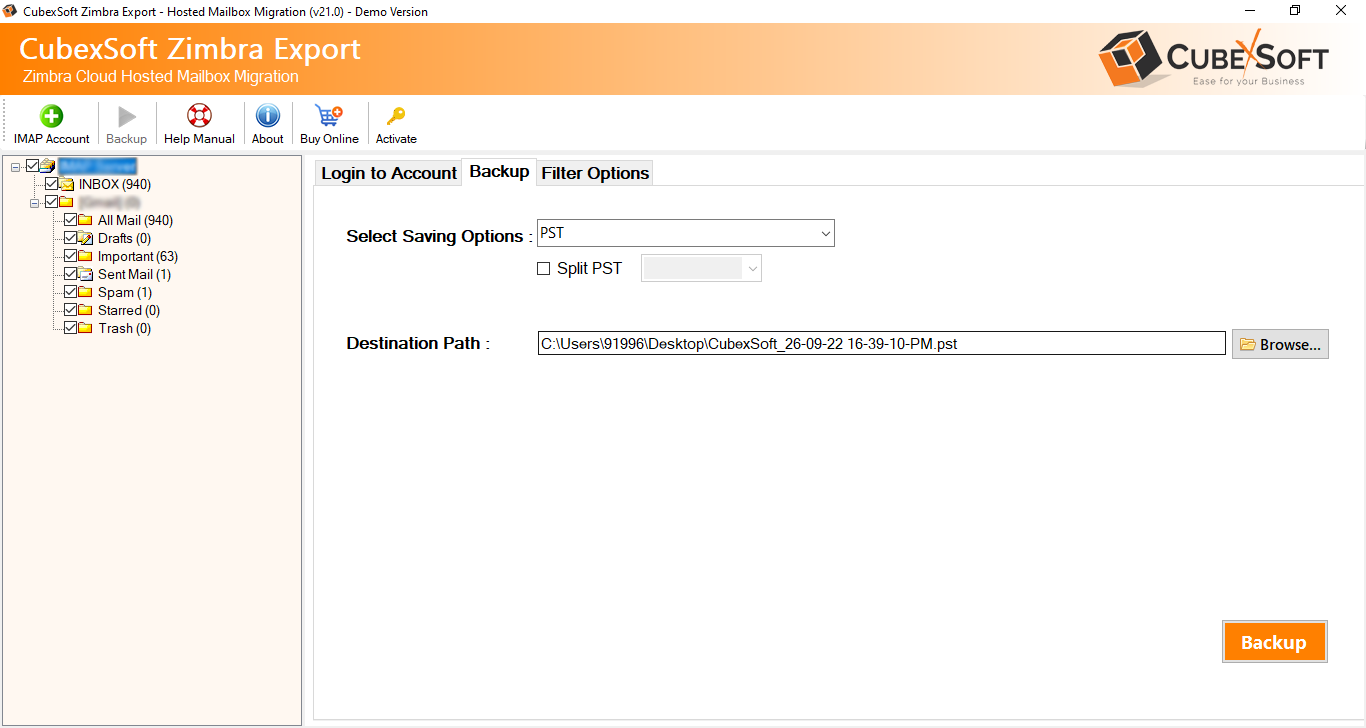
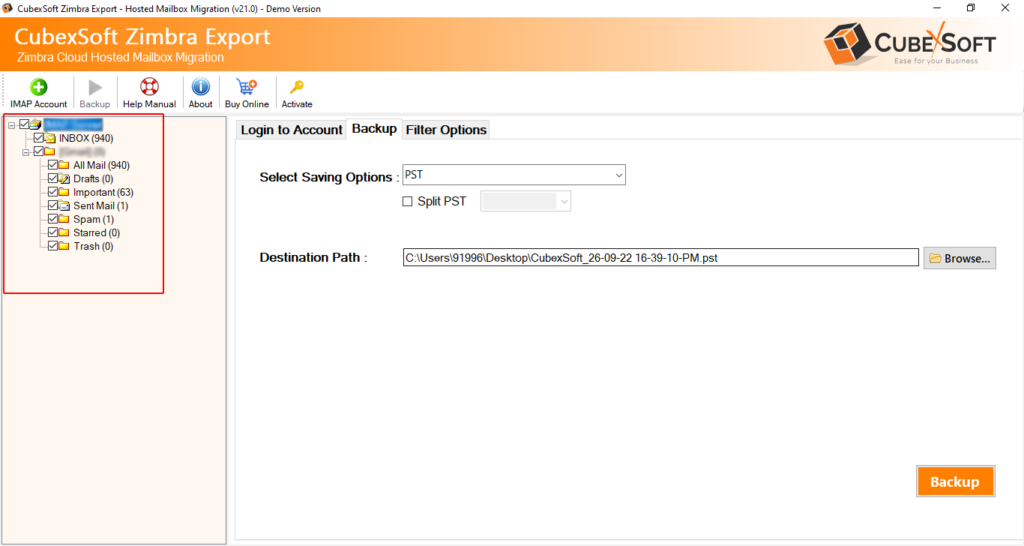
Step 4. The application will show Zimbra account mailboxes on the left pane.
Step 5. Go to the right-side of the tool, click on Select Saving Options and select PST format.
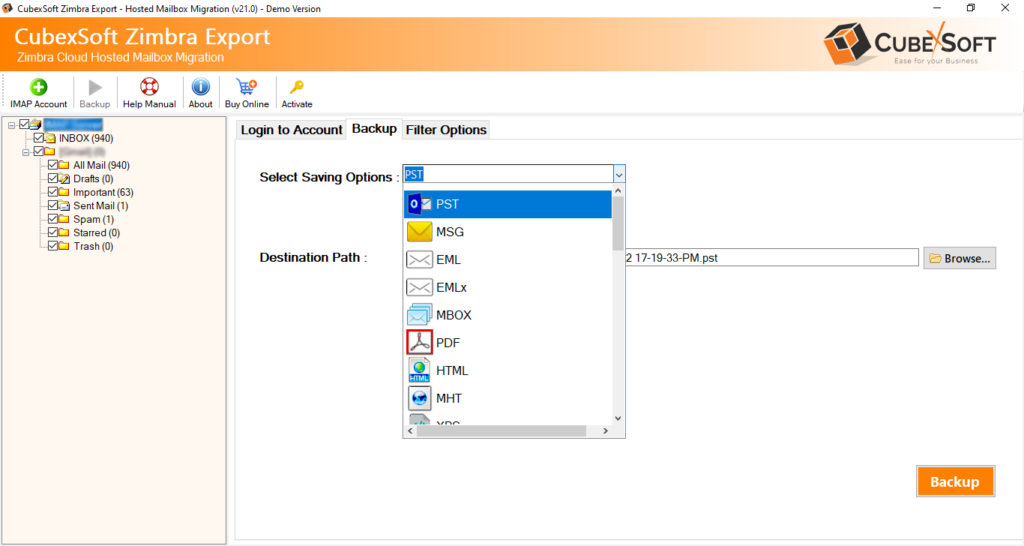
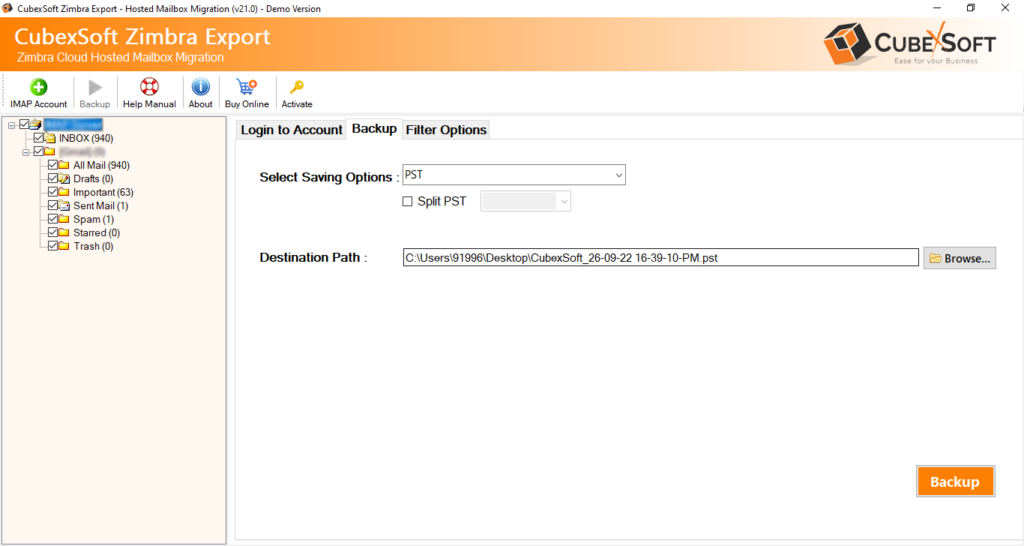
Step 6. Set PST options as per your needs and continue further by navigating towards Filters tab.
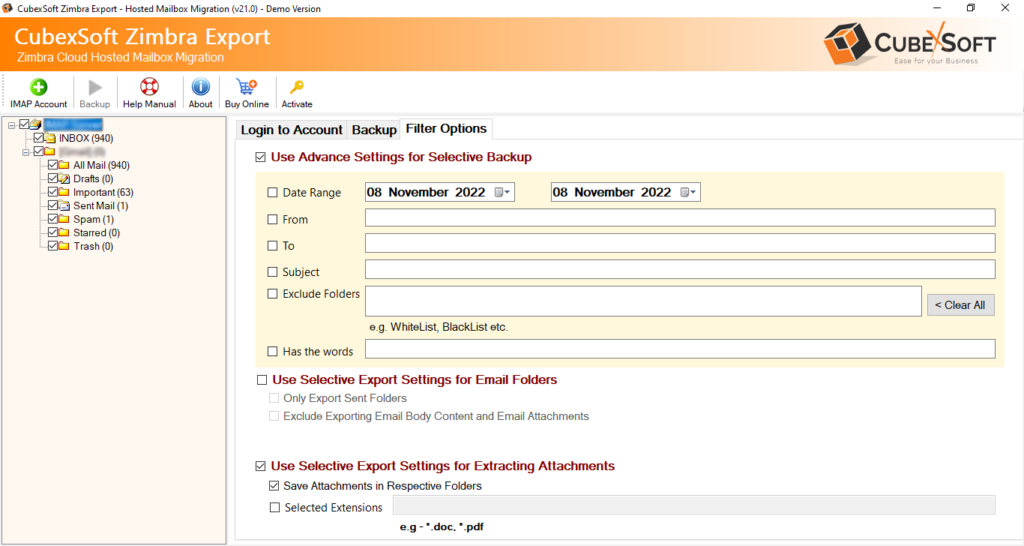
Step 7. You may apply Filters if you want to backup specific Zimbra emails into Outlook.
Step 8. Navigate back to Backup tab and hit Backup button.
Step 9. You can review the ongoing backup process of Zimbra emails.
Step 10. The process successfully finishes with a notification confirming “Conversion Completed Successfully”.
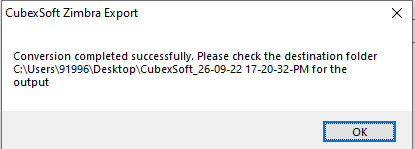
Click OK and now you can go to Outlook to access resultant PST files. However, the conversion will be smooth and error free. You can check the result by opening the necessary PST file data. There will be no alteration in the email messages. The folder structure will also appear correct and precise after the conversion.
Conclusion
The blog here offered quick and cost-effective solution to resolve “how do I backup Zimbra email to Outlook”. CubexSoft Zimbra Converter is a user-friendly and safe app to use. Any user can independently operate it and backup unlimited Zimbra emails to Outlook with attachments and other data items. You can check the whole procedure by downloading the free demo version. You can even backup first 25 Zimbra emails and attachments to Outlook free of cost.